Nuclr Quick View — Markdown
Renders README.md and other Markdown files as formatted documents in Nuclr
Commander's quick-view panel. Pure Swing: no Chromium, no JCEF, no JavaFX
WebView — Markdown is parsed with flexmark-java
and painted by Swing's own HTMLEditorKit.
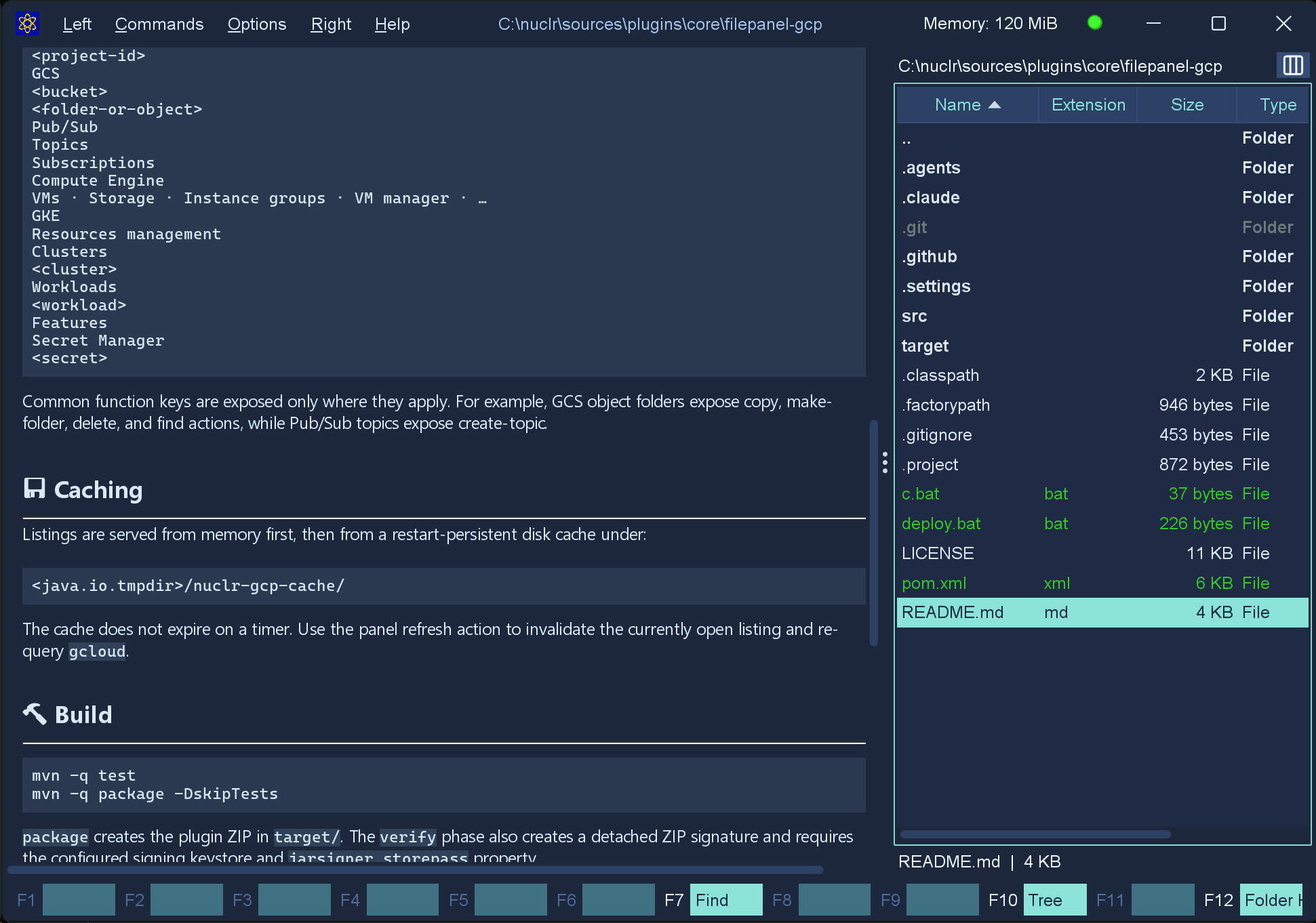
A README.md rendered in the left pane while the right pane browses the file
system.
Supported syntax
Headings, paragraphs, bold, italic, strikethrough, ordered/unordered/nested lists, block quotes (including nested), inline code, fenced and indented code blocks, horizontal rules, links, images, tables, task lists and autolinks.
Inline HTML is passed through an allow-list sanitiser, so common README markup
such as <p align="center">, <br> and <img> still works.
Components
| Class | Role |
|---|---|
MarkdownView | Swing component; embeds its own JScrollPane |
MarkdownRenderer | Markdown → Swing-compatible HTML; no Swing widgets |
MarkdownTheme | Colours, fonts and the stylesheet; light(), dark(), fromUiManager() |
MarkdownLinkHandler | Host hook for link navigation |
MarkdownImageResolver | Image resolution; local-only by default |
RemoteImageResolver | Optional http/https image loading |
HtmlSanitizer | Allow-list for inline HTML |
MarkdownQuickViewProvider | Plugin entry point |
Usage
MarkdownView view = new MarkdownView();

// Let the Commander navigate to local files itself.
view.setLinkHandler((path, fragment) -> commander.navigateTo(path));

view.setMarkdown(Files.readString(readme), readme);
view.setTheme(MarkdownTheme.dark());
setMarkdown scrolls back to the top and never takes keyboard focus. Relative
links and images resolve against the directory of the file passed as the second
argument, and #anchor links scroll to the matching heading.
Without a link handler the view falls back to safe defaults: http, https
and mailto open in the system browser, sibling Markdown files render in
place, and everything else is ignored.
Security
Markdown is treated as untrusted input:
- no scripting of any kind (Swing has no JavaScript engine, and
<script>is dropped anyway) <form>,<input>,<iframe>,<object>and friends are removed together with their content — Swing builds real, submitting components for formson*handlers and author-suppliedstyleattributes are strippedjavascript:anddata:URLs are refused at render time and again on click- remote images are off by default; enable with
MarkdownView.setRemoteImagesEnabled(true) - no local file is launched by the component itself; that decision belongs to
the host's
MarkdownLinkHandler
Demo
mvn compile dependency:build-classpath -Dmdep.outputFile=cp.txt
java -cp "target/classes;$(cat cp.txt)" \
     dev.nuclr.plugin.core.quick.viewer.markdown.MarkdownDemo [file.md]
With no argument it renders a built-in sample exercising every supported construct. The toolbar toggles dark mode and remote images.
Thumbnail
The opening of the document as a page: parsed with flexmark, so the first heading becomes the title, headings stay headings, lists get bullets and code blocks keep their shape, while the markup disappears. Images and HTML blocks are left out. At icon sizes the lines are drawn as grey bars, the way a document preview looks.
It implements the platform SDK 6.0.0 thumbnail methods, so plugins that want a picture of a file - attachment chips in AI Projects, for one - get it through Commander.
Build
mvn clean package                 # builds target/quick-view-markdown-<version>.zip
mvn clean verify -Djarsigner.storepass=<password>   # also writes the .sig
Notes on Swing's HTML support
Swing renders roughly HTML 3.2 with a slice of CSS 1. The renderer therefore avoids modern CSS entirely and leans on constructs Swing lays out reliably:
- code blocks and block quotes are tables — Swing honours
bgcolorandcellpaddingon a cell, but ignorespaddingon<pre> <thead>/<tbody>are stripped; they are not in Swing's tag set and break table layout<del>becomes<strike>- line spacing is applied as a paragraph attribute, since Swing has no usable
line-height - images are given explicit
width/heightso they fit the viewport; there is nomax-width <hr>always paints Swing's own etched line — only its margins are themable
Sizes are derived from the Look-and-Feel's default font, which FlatLaf already scales for HiDPI, so the document scales with the rest of the application.