🔎 JVM Class Quick Viewer
Rich quick preview for Java .class files inside Nuclr Commander, powered by Vineflower decompilation and a syntax-highlighted Swing viewer.
✨ What It Does
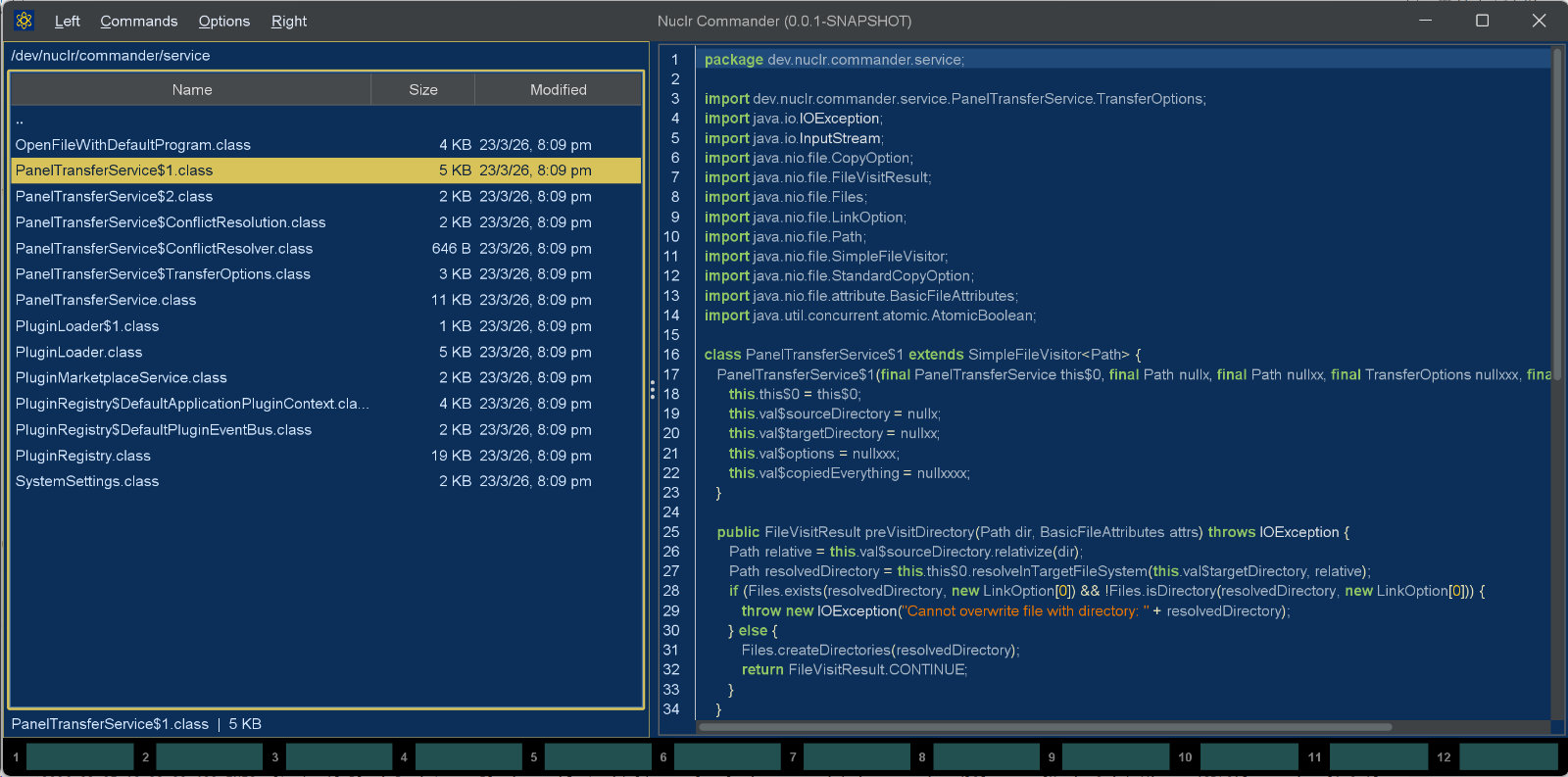
When a .class file is selected, the plugin decompiles it and renders readable Java source in a dedicated quick-view panel — no need to open a full decompiler or IDE.
- ⚡ Instant quick preview for compiled
.classfiles - 🌿 Integrated Vineflower decompilation
- 🎨 Syntax-highlighted Java rendering with RSyntaxTextArea
- 🔢 Line numbers and code folding for easier navigation
- 🧭 Read-only panel designed for inspection, not editing
- 🌓 Theme-aware UI updates through Nuclr plugin events
- 🛡️ Graceful fallback messages when decompilation fails or produces no output
- ⛔ Cancellation-aware — switching files cancels the in-flight decompilation
🧩 Supported Formats
| Extension | Format |
|---|---|
.class | Compiled Java bytecode |
🖼️ Screenshot
🧩 How It Works
- The provider checks whether the selected item has the
.classextension. - The class bytes are copied to a temporary file.
- Vineflower decompiles the class into Java source.
- The result is displayed in a syntax-highlighted, read-only RSyntaxTextArea panel.
- Theme updates from Nuclr Commander are applied to the viewer automatically.
- Temporary decompilation artifacts are cleaned up after each preview.
🖼️ Thumbnail
The decompiled class as a page of source, starting at its declaration - the banner comment, package and imports are the same on every class and are skipped.
It implements the platform SDK 6.0.0 thumbnail methods, so plugins that want a picture of a file - attachment chips in AI Projects, for one - get it through Commander.
📥 Installation
Copy the signed plugin archive and detached signature into the Nuclr Commander plugins/ directory:
quick-view-jvm-<version>.zip
quick-view-jvm-<version>.zip.sig
Nuclr Commander verifies the RSA-SHA256 signature against nuclr-cert.pem on load. The plugin becomes available immediately without a restart.
🗂️ Source Layout
src/main/java/dev/nuclr/plugin/core/quick/viewer/jvm/
├── ClassQuickViewPlugin.java     plugin entry point
└── ClassQuickViewPanel.java      Swing panel, decompilation, syntax highlighting
📚 Dependencies
| Library | Version | Purpose |
|---|---|---|
dev.nuclr:platform-sdk | 6.0.0 | Nuclr platform interfaces |
vineflower | 1.11.2 | Java bytecode decompiler |
rsyntaxtextarea | 3.6.1 | Syntax-highlighted text rendering |
📄 License
Licensed under the Apache License 2.0.