🖼️ Image Quick Viewer
A lightweight Nuclr Commander plugin for instant image preview in the Quick View pane. Uses Java's built-in image decoding — no external tools or native dependencies required.
📸 Screenshots
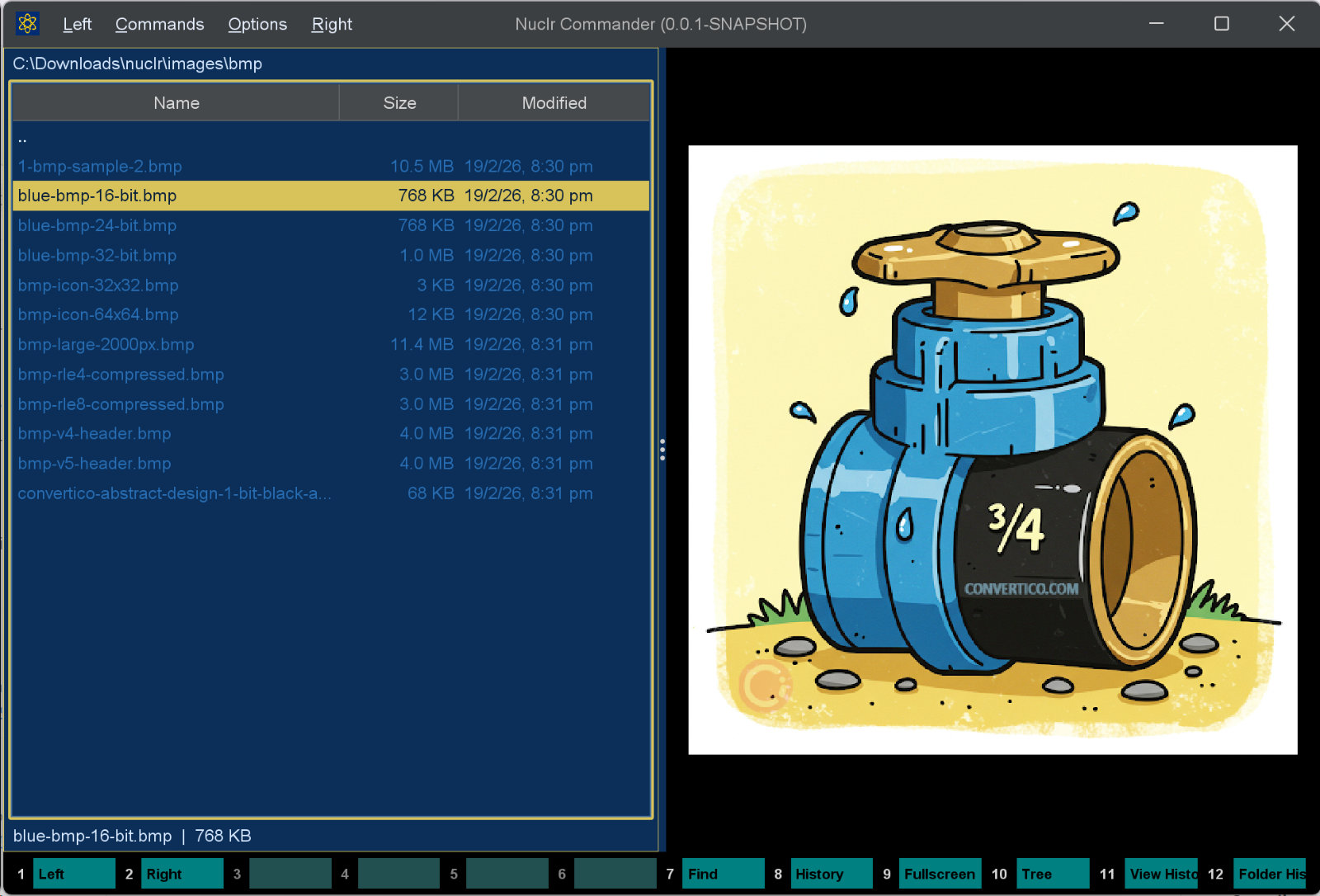
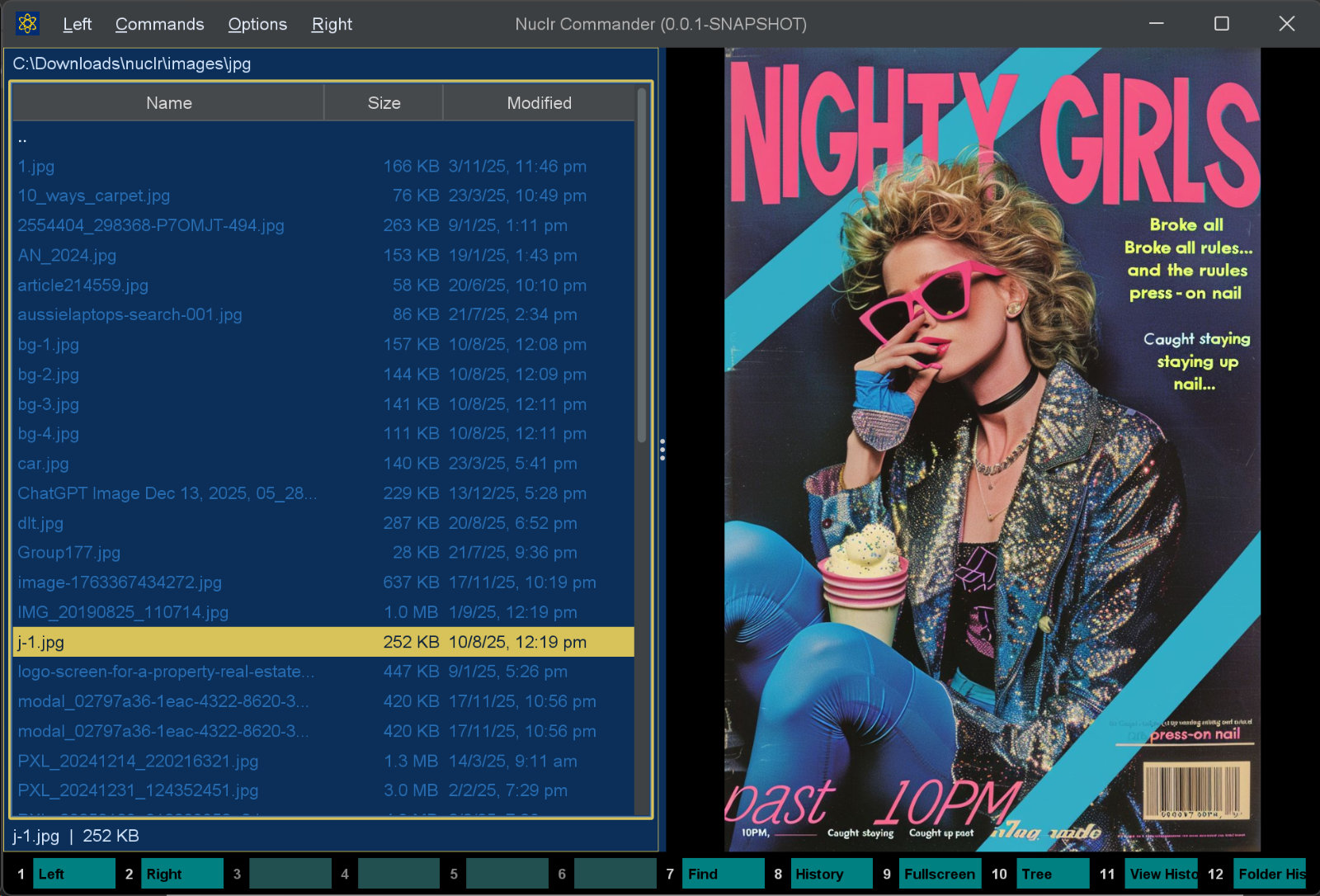
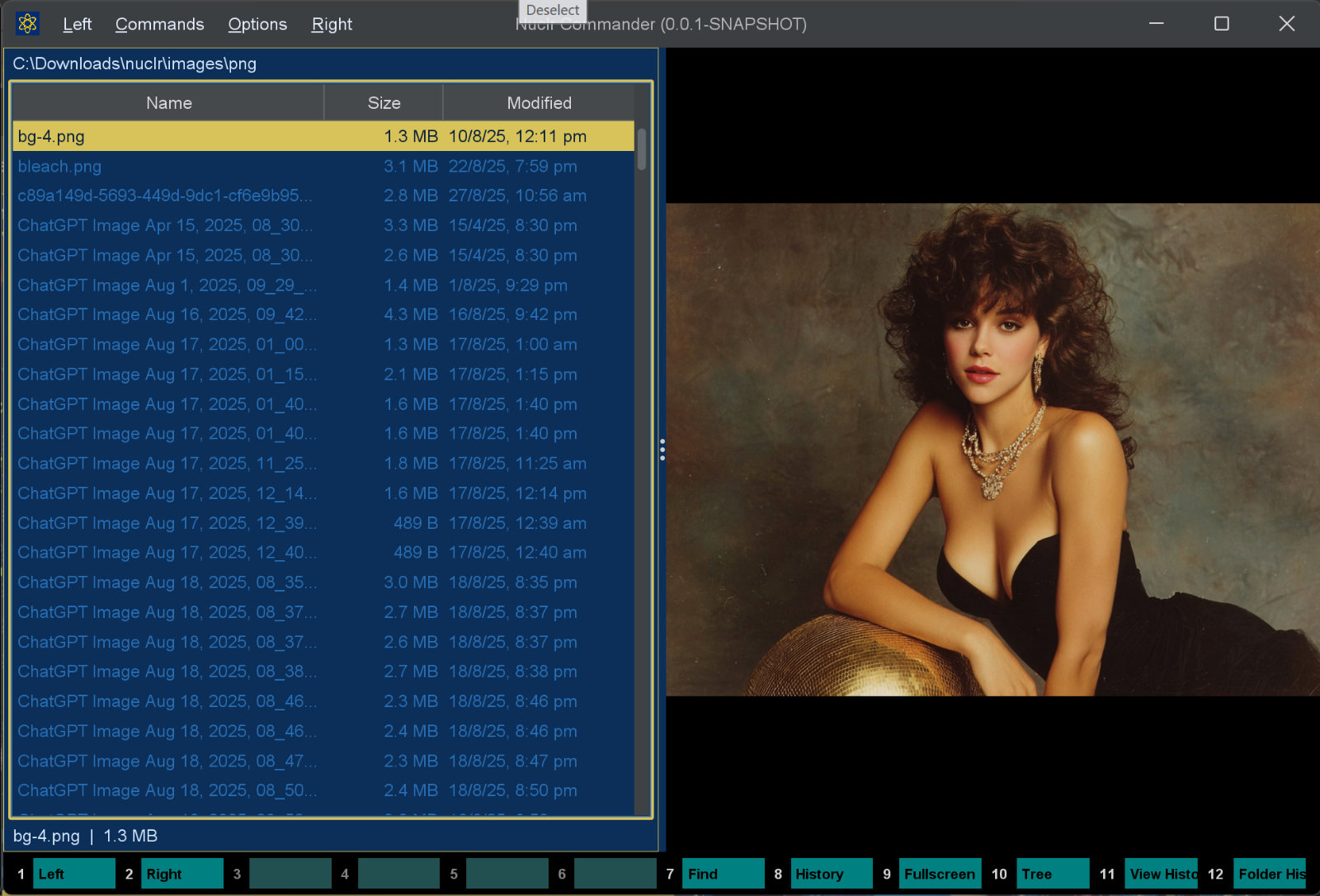
✨ What it does
| Feature | Details |
|---|---|
| ⚡ Instant preview | Opens images immediately when selected in Quick View |
| 📐 Fit-to-panel | Images are scaled to fill the panel while preserving aspect ratio; no upscaling |
| 🔍 Zoom | Ctrl+scroll to zoom in and out (1× to 16×); zoom indicator shown in corner |
| 🖱️ Pan | Drag with the left mouse button when zoomed to pan around the image |
| 🔄 Rotate | R / L (or the context menu) rotate the preview 90° clockwise / counter-clockwise |
| 🏎️ Subsampled decode | Images far larger than the screen are decoded with integer subsampling, so a 50-megapixel photo doesn't pay a full-resolution decode just to be previewed |
| ℹ️ Image info overlay | Toggle a semi-transparent panel showing dimensions, file size, and EXIF (camera, exposure, ISO, GPS…) |
| 📋 Context menu | Right-click to copy image, copy file, copy path, toggle image info, or open in Explorer |
| ⛔ Cancellable load | Switching files immediately cancels the in-flight load; no stale images |
| ⚠️ Error messages | Clear on-panel messages for unreadable or corrupt files |
🔍 Zoom and pan controls
| Input | Action |
|---|---|
Ctrl + scroll wheel up | Zoom in |
Ctrl + scroll wheel down | Zoom out |
| Left mouse drag | Pan (only when zoomed in) |
R | Rotate 90° clockwise |
L | Rotate 90° counter-clockwise |
| Open any new file | Reset zoom and pan |
💡 Click the preview first — the rotate keys are bound
WHEN_FOCUSED.
💡 Snaps to 100% (actual pixels) when the on-screen scale passes through 1:1 for easy sharpness checking.
ℹ️ Image info overlay
Tick the ⓘ Info checkbox in the bottom-left corner (or right-click → Show image info) to overlay a semi-transparent panel with the image's metadata: dimensions, file size, format, and — when present — EXIF details such as camera make/model, lens, capture date, exposure, aperture, ISO, focal length, orientation, and GPS coordinates. Metadata is read with the Metadata Extractor library.
🧩 Supported formats
| Extension | Format |
|---|---|
.jpg / .jpeg | JPEG |
.png | PNG |
.gif | GIF (first frame) |
.bmp | Windows Bitmap |
🔧 For broader format support (WebP, SVG, RAW, TIFF, and more), use the ImageMagick Bridge plugin alongside this one.
🖼️ Thumbnail
The image, shrunk while it is decoded: the decoder subsamples to about twice the requested box before a final quality downscale, so a large photo is never decoded at full size. Resources without a local file are read as a stream.
It implements the platform SDK 6.0.0 thumbnail methods, so plugins that want a picture of a file - attachment chips in AI Projects, for one - get it through Commander.
📥 Installation
Copy the signed plugin archive and detached signature into the Nuclr Commander plugins/ directory:
quick-view-image-<version>.zip
quick-view-image-<version>.zip.sig
Nuclr Commander verifies the RSA-SHA256 signature against nuclr-cert.pem on load. The plugin becomes available immediately without a restart.
⚙️ How it works
Images are read via ImageIO wrapped in a CancelableInputStream that monitors the cancellation flag so switching files during a slow load aborts immediately. Anything whose largest dimension exceeds roughly twice the screen size is decoded with integer subsampling (floor 2048 px), which keeps huge photos cheap to preview while leaving normal images at full resolution. The fit-to-panel scale is computed as min(panelW/imgW, panelH/imgH) capped at 1.0 to avoid upscaling. The user zoom multiplier (1×–16×) is applied on top; when zoomed the cursor switches to a move cursor to indicate panning is available. Rotation re-renders the bitmap in place and does not touch the file on disk.
🗂️ Source layout
src/main/java/dev/nuclr/plugin/core/quick/viewer/
├── ImageQuickViewProvider.java   plugin entry point
├── ImageViewPanel.java           Swing panel, rendering, zoom/pan logic, info overlay
├── ImageInfo.java                EXIF / metadata extraction for the info overlay
└── CancelableInputStream.java    cancellation-aware image loading
📚 Dependencies
Most dependencies are provided by Nuclr Commander at runtime; the metadata library (and its xmpcore transitive dependency) is bundled in the plugin ZIP for the info overlay.
| Library | Version | Purpose |
|---|---|---|
dev.nuclr:platform-sdk | 6.0.0 | Nuclr platform interfaces |
com.drewnoakes:metadata-extractor | 2.20.0 | EXIF / image metadata extraction (bundled) |
📜 License
Apache License 2.0 — see LICENSE.