🗂️ Local Filesystem Panel
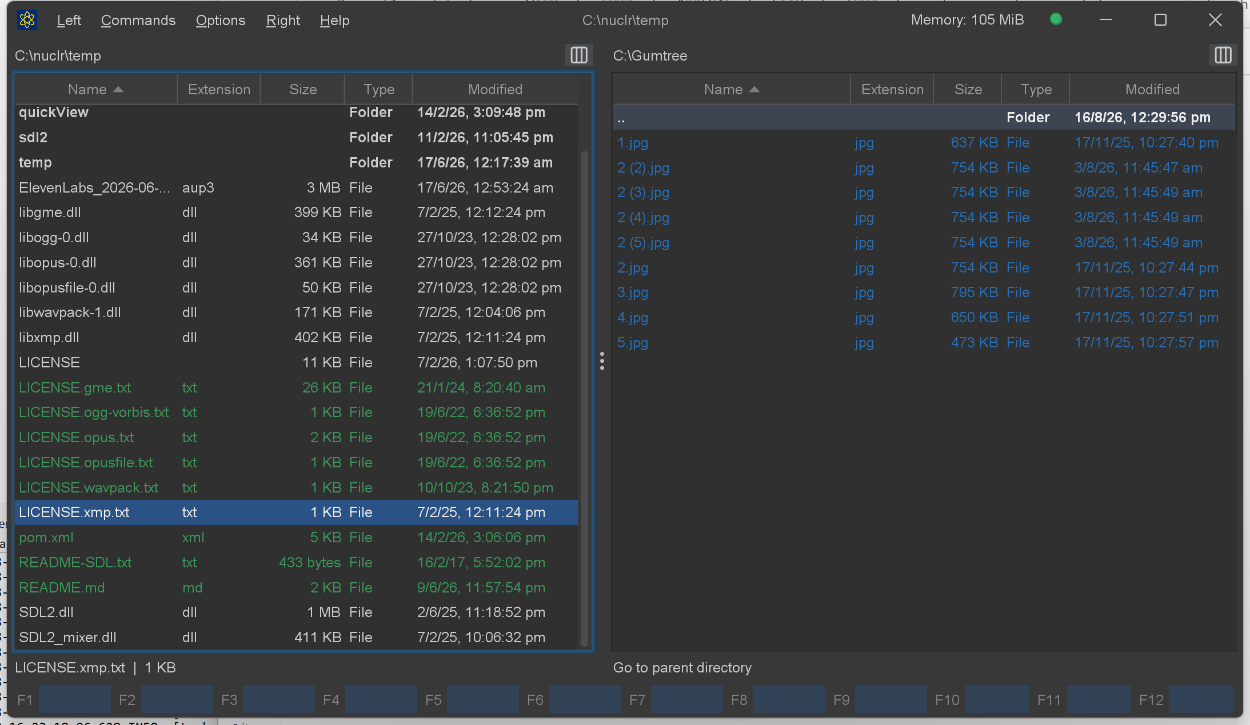
An official Nuclr Commander plugin that adds local drives and mount points as a file panel root. It enumerates roots dynamically from the host OS via FileSystems.getDefault().getRootDirectories() — Windows shows C:\, D:\, etc.; Linux and macOS show /.
The bundle ships three plugins: the panel itself, a FAR-style Temporary Panel used to hold search results, and a Quick View provider for Windows .lnk shortcuts.
Screenshots
✨ What it does
| Feature | Details |
|---|---|
| 🖥️ Drive enumeration | Re-enumerates all OS root directories on every drive-menu open, so removable media appears without a restart |
| ⚡ Streaming listings | Entries are published to the panel as they are read, so large folders paint incrementally |
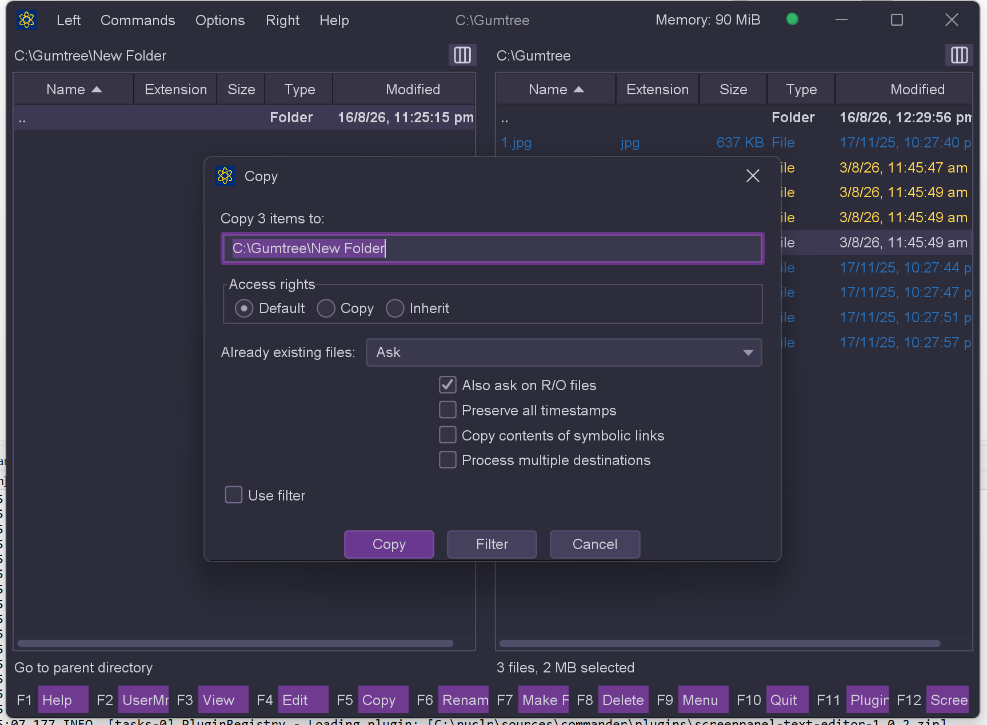
| 📁 File operations | Copy (F5), move/rename (F6), make folder (F7), delete (F8), delete permanently (Shift+F8), create file (Shift+F4) |
| 🔍 Find files | Alt+F7 — name masks, content search, scopes, filters, streaming results window |
| 💽 Drive information | Ctrl+L — volume type, capacity, free space and filesystem details for the current drive |
| 📋 Clipboard | Copy files, copy full paths, and paste (files or a path from text) into the current folder |
| 🔗 Symlink resolution | Follows Windows junctions and reparse points (e.g. C:\Documents and Settings) to their readable target |
| 📊 Selection summary | Single-item type/size line, or byte / file / folder totals for a multi-selection |
| 🔤 Sorting | Name, extension, modified, created, accessed, size, unsorted, plus the sort dialog (Ctrl+F3…Ctrl+F12) |
| 📂 Directory walking | Recursive or single-level tree walk with cancellation, used by the host for size and copy scans |
| 📋 Context menu | Open · Reveal in File Manager · Copy file(s) · Copy full path(s) · Delete |
| 🔊 Sound events | Confirmation / error / process-complete / popup cues routed through the host's sound service |
| ⌨️ Go to path | Ctrl+Shift+G (Windows/Linux) / Shift+Cmd+G (macOS) |
🔍 Find File (Alt+F7)
A non-modal search dialog and a streaming results window.
| Option | Values |
|---|---|
| Name pattern | Wildcard mask (default *) |
| Containing text | Text, Regex or Hex match modes |
| Text options | Case sensitive · whole word · invert match · explicit charset |
| Scope | Current folder · Both panels · Marked items · Volumes · Custom path |
| Traversal | Subfolders · follow symlinks · include hidden |
.gitignore | Optionally skip ignored files, using JGit's real IgnoreNode semantics — each repository by its own rules, including repositories found below the search root |
| Filters | Modified from/to, min/max size |
Results stream into a window as they are found. From there you can jump to a hit (the panel navigates to its parent folder and puts the cursor on it) or open the whole result set in a temporary panel, where the hits behave like ordinary entries — copy, move, delete, view and edit all work, and .. returns to the folder the search started from.
🔗 Windows Shortcut Quick View
.lnk files get a rendered Quick View card showing the shortcut's target, arguments, working directory, icon location, and the link's own metadata — parsed with mslinks, with a note when a shortcut carries no standard target path.
📥 Installation
Copy the signed plugin archive and detached signature into the Nuclr Commander plugins/ directory:
filepanel-fs-<version>.zip
filepanel-fs-<version>.zip.sig
Nuclr Commander verifies the RSA-SHA256 signature against nuclr-cert.pem on load. The plugin becomes available immediately without a restart.
🔨 Building
# The SDK must be installed to the local repo first
cd ../../../plugins-sdk && mvn clean install

cd ../plugins/core/filepanel-fs
mvn clean verify -Djarsigner.storepass=<password>
The build produces target/filepanel-fs-<version>.zip and a detached .zip.sig. Signing needs the keystore at C:/nuclr/key/nuclr-signing.p12 (alias nuclr).
Unit tests run headless on every build. The AssertJ-Swing GUI tests (**/*GuiTest.java) need a real, focused display and run only under -Pgui-tests.
⚙️ How it works
LocalFileSystemPlugin registers as a FilePanelNuclrPlugin. It claims a resource only when the path belongs to the default filesystem — a mounted SFTP server (filepanel-net) or a zip archive (filepanel-zip) answers Files.isDirectory() just as truthfully, and claiming those would misroute a cross-panel move. F6 therefore moves into the opposite panel only when that panel's folder is a real local directory; otherwise it degrades to an in-place rename.
Two methods the host calls on the EDT — menuItems() and getSelectionSummaryText() — deliberately never touch the filesystem. They answer from the attributes each entry already carries, because a single stat there costs the full spin-up of a sleeping HDD while nothing paints.
Deletes show a confirmation listing the full paths, then run on a virtual thread behind a progress dialog. Copy and move each have a setup dialog, a conflict dialog, and a progress dialog with pause-aware cancellation.
🗂️ Source layout
src/main/java/dev/nuclr/plugin/core/panel/fs/
├── LocalFileSystemPlugin.java    plugin entry point, action routing
├── TempFilePanelPlugin.java      FAR-style temporary panel over an arbitrary hit list
├── QuickViewLnkPlugin.java       Quick View for Windows .lnk shortcuts
├── FileNuclrResource.java        NuclrResource wrapper for local files
├── Helper.java                   resource building, symlink resolution, reveal-in-file-manager
├── PluginActions.java            action-type constants
├── SystemOpen.java               OS "open with default application"
├── SoundEvents.java              host sound cues
├── DriveInfoService.java         volume capacity / filesystem probe
├── DriveInfoDialog.java          Ctrl+L drive information UI
├── DeleteDialogs.java            delete confirmation / error dialogs
├── DeleteProgressDialog.java     deletion progress UI
├── find/
│   ├── FindFileDialog.java       Alt+F7 search dialog
│   ├── FindFileRequest.java      immutable search specification
│   ├── FindFileContext.java      panel-agnostic dialog inputs
│   ├── FindFileService.java      streaming search execution
│   ├── FindResultsWindow.java    live results window
│   ├── ScopeType.java            search scopes
│   ├── ContentMatchMode.java     Text / Regex / Hex
│   ├── GitIgnoreMatcher.java     JGit IgnoreNode evaluation
│   ├── GitIgnoreProbe.java       repository / ignore-file discovery
│   ├── LocalResourceNavigator.java
│   ├── ResourceBrowser.java
│   └── ResourcePathParser.java
└── service/
    ├── Alerts.java
    ├── ClipboardService.java     copy files / full paths, paste
    ├── CopyService.java          copy entry point, clipboard paste
    ├── CopyEngine.java           scan + byte-copy loop with cancellation
    ├── CopyOptions.java · CopyDialog.java · CopyConflictDialog.java · CopyProgressDialog.java
    ├── DeleteService.java        recycle-bin and permanent delete
    ├── MakeNewFolderService.java
    └── move/
        ├── MoveService.java · MoveEngine.java · MoveOptions.java
        └── MoveDialog.java · MoveConflictDialog.java · MoveProgressDialog.java
📚 Dependencies
Most dependencies are provided by Nuclr Commander at runtime. Only the two compile-scoped libraries below are bundled into the plugin ZIP's lib/.
| Library | Version | Scope | Purpose |
|---|---|---|---|
dev.nuclr:platform-sdk | 5.0.0 | provided | Nuclr platform interfaces |
commons-io | 2.22.0 | provided | Human-readable sizes, file utilities |
org.apache.commons:commons-lang3 | 3.20.0 | provided | OS detection |
com.formdev:flatlaf (+ flatlaf-extras) | 3.7.1 | provided | Themed Swing components |
org.slf4j:slf4j-api | 2.0.17 | provided | Logging |
org.projectlombok:lombok | 1.18.46 | provided | Annotations |
org.eclipse.jgit | 6.10.0 | bundled | .gitignore semantics for Find File |
org.jabref:mslinks | 1.2 | bundled | Windows .lnk parsing |
📜 License
Apache License 2.0 — see LICENSE.